Normalizing Data Ranges Prior to Training or Inference
Compromised (poor quality) deep model training and inference can occur in cases in which datasets have a limited dynamic range. In these cases, you can normalize calibrated and uncalibrated datasets prior to training in the Deep Learning Tool dialog, as well as before inference in the Segment with AI dialog and in the Filter with AI dialog.
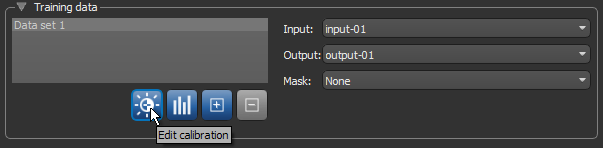
Click the Edit Calibration button in the Training data box on the Training panel to normalize data prior to training, as shown below. You can also normalize data prior to previewing and applying a deep model (see Previewing Model Inference and Applying Deep Models).
Edit Calibration button
In all cases, the Normalization dialog will appear.
Normalization dialog
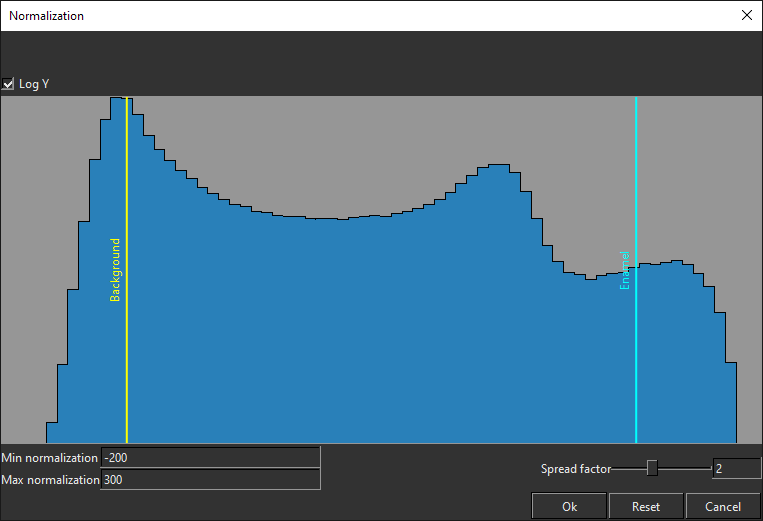
Adjusting the normalization boundary can be useful in cases in which you only want to apply the model on the current input and the input histogram is not spread over the data range. You should also note that the normalization range selected during training is saved with the model and that the saved range is loaded and set as the default at inference. You can edit the normalization range at inference before applying the model on an input, but this adjustment is not saved. The next time that the model is loaded, the normalization range will be reset.
